◆ iOS 18 · Coming Soon

Your socials live

in five apps. Not one.

Qard puts every QR code — Instagram, LinkedIn, WhatsApp, TikTok, all 12 — one tap from your lockscreen. Hand your phone. Let them scan. Done in two seconds.

12
platforms
2s
to share
0
cloud syncs
9:41
×
@ramirez.lc
instagram.com/ramirez.lc
Instagram
47 scans
The friction

Eight taps to find your LinkedIn QR.

That's the real number. Open app → profile → QR code → share. Every time. In the middle of a conversation.

01
The Instagram problem
Profile → hamburger → QR Code. Three taps before you've even unlocked the phone. Their attention has already moved on.
02
The LinkedIn problem
My Network → top-right avatar → QR code. Nobody at a conference has time to watch you navigate to that screen.
03
The app-switching problem
Your Instagram is buried in one app. WhatsApp in another. You're juggling five apps in a two-minute conversation.
How it works

Three steps. Then you never think about it again.

01
Add your handles once.
Tap +, pick a platform, type your handle. Qard builds the QR and stores everything on-device. No account. No syncing. Done.
02
Tap Present at the conference.
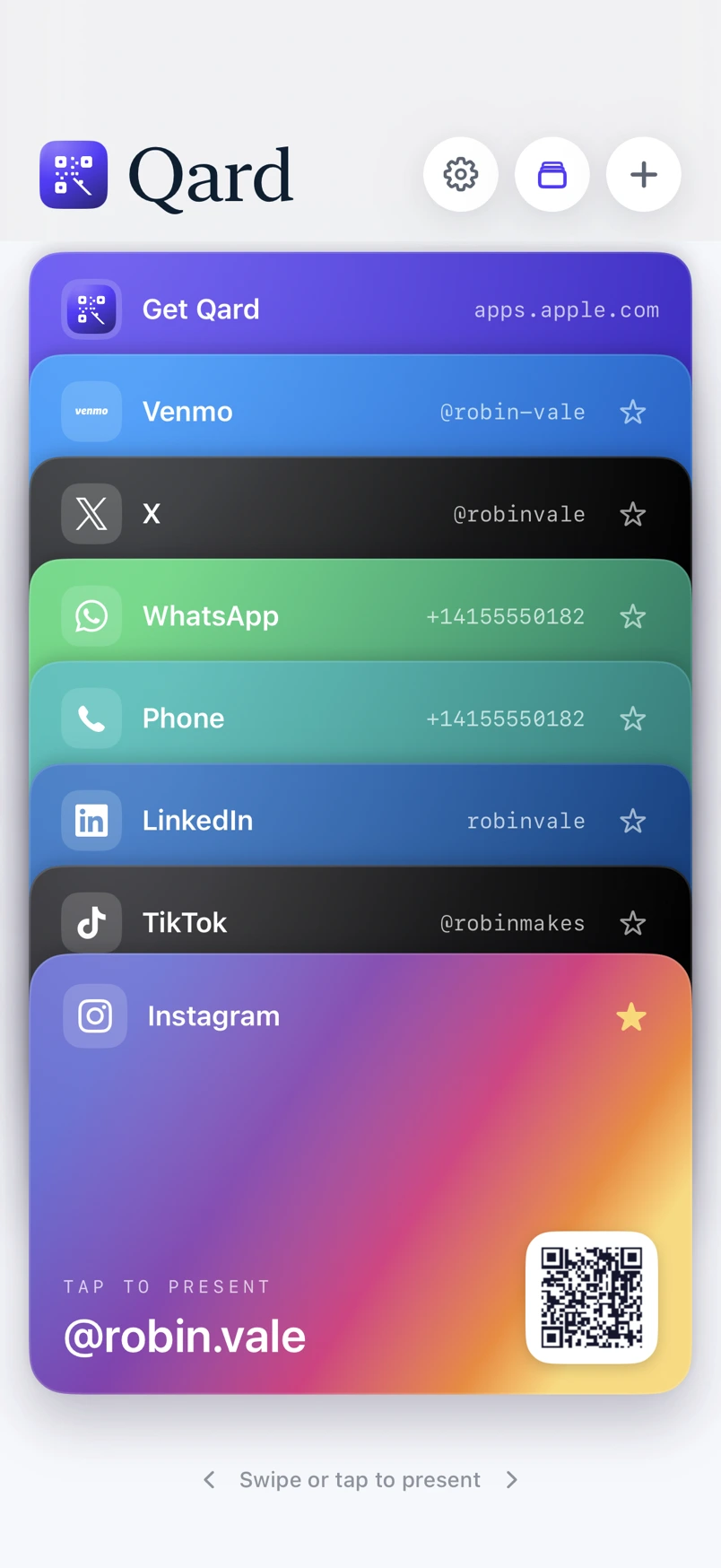
One button opens your card deck full-screen in the platform's own color. Swipe left or right to flip between profiles — a literal rolodex.
03
They scan. You move on.
The QR encodes the real deep-link URL. Their Instagram opens your profile directly. No app-to-app friction. Qard tracks the scan silently.
Qard
6 cards · 142 scans
+
Instagram
@ramirez.lc
47
LinkedIn
in/lauraramirez
31
TikTok
@lauraramirez
23
X
@lauraramirez
18
Present
Platforms

Every network. One deck.

12 platforms, more coming.
Instagram
TikTok
X
LinkedIn
WhatsApp
Facebook
Snapchat
Discord
Telegram
Venmo
Cash App
Website
Philosophy
"Networking apps optimized for discovery.
We optimized for the handoff."

Qard is not a social network, not a link-in-bio page, not a digital business card. It is the thing you show when you're standing face to face with someone and have exactly two seconds before the moment passes. It does one thing and does it without ceremony.

What makes it different
Camera Control launch
On iPhone 15 Pro and 16, Camera Control opens Qard straight to your top card. One hardware button. No unlock, no app-switch.
Rolodex flip
A 3D card-flip swipe moves between profiles mid-conversation. The physical metaphor makes the action obvious from three feet away.
Real brand colors
Each platform renders in its actual gradient — Instagram's purple-to-orange, WhatsApp's green, TikTok's black — recognizable at a glance.
Fully off-device
No account. No API keys. No analytics. Your handles and scan counts never leave your iPhone. Privacy by architecture, not policy.
The Present view

A QR built to be seen from across the table.

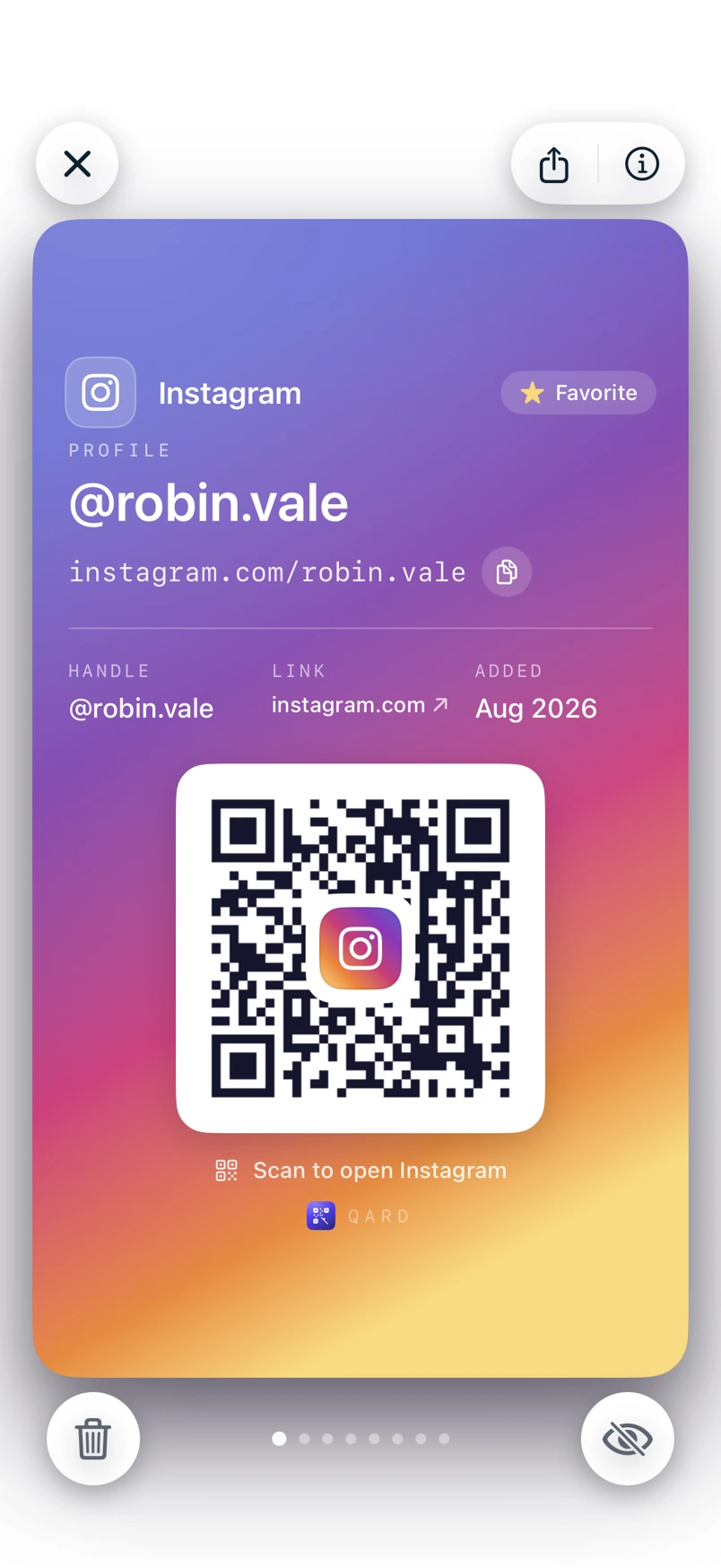
280×280pt QR canvasSized for scanning at arm's length without zooming in.
Quartile error correction25% damage resilience — the QR still scans with a glare, a thumb, a reflection.
Platform logo embeddedA 52pt branded tile sits dead-center so they know what they're scanning before they scan it.
Deep-link URL encodedScan takes them straight into the Instagram app, not a web browser redirect.
Scan counter chipTracks how many times each card has been used. You'll know which network actually travels.
@ramirez.lc
instagram.com/ramirez.lc
Instagram
Open in Instagram
↗ 47 scans
Instagram
TikTok
X
LinkedIn
WhatsApp
Facebook
Snapchat
Discord
Telegram
Venmo
Cash App
Website
Instagram
TikTok
X
LinkedIn
WhatsApp
Facebook
Snapchat
Discord
Telegram
Venmo
Cash App
Website
The deck

Every card knows its platform.

Brand color, gradient, icon, handle — each one built for instant recognition.

Instagram
@ramirez.lc
47
Linkedin
in/lauraramirez
31
Tiktok
@lauraramirez
23
X / Twitter
@lauraramirez
18
Whatsapp
+1 555 0192
14
Discord
laurarc#2291
9
FAQ

Questions we actually get.

Be first to flip.

Qard launches on the App Store soon. Join the waitlist for early access and first-day download link.

No spam. Unsubscribe anytime. No account required to use Qard.

The Qard Journal

Network smarter. Share faster.

Comparison

Instagram vs. LinkedIn vs. TikTok QR Codes: Which Platform Should You Lead With at a Networking Event?

Not every QR code is the right first impression — handing someone your TikTok at a B2B conference lands differently than sharing your LinkedIn at a creator meetup. This breakdown compares the networking ROI of the top platforms by event type, industry, and goal, so you always lead with the right code. We also cover which platforms have the most frictionless built-in QR flows and which ones bury the feature deepest.

Read more →9 min read
Ultimate Guide

The Ultimate Guide to Personal Brand QR Codes for Creators, Freelancers, and Founders in 2025

Your personal brand lives across a dozen platforms, but most people only ever see one link — if you're lucky. This guide covers everything from generating scannable, on-brand QR codes for every social profile to presenting them in a way that's polished enough to leave a real impression. Whether you're a freelance designer, a startup founder, or a full-time creator, this is the definitive playbook for QR-first networking in 2025.

Read more →9 min read
iOS Tips

How to Use iPhone Camera Control to Instantly Pull Up Your QR Code (iOS 18 Hidden Trick)

iPhone 15 Pro and iPhone 16 introduced a physical Camera Control button — and almost nobody knows you can remap it to launch your personal QR code deck in one press. This walkthrough shows exactly how to set up a Shortcuts action that jumps straight to your most-used QR code the moment you squeeze the button, no unlock screen required. It's the fastest way to go from pocket to scannable in under two seconds.

Read more →9 min read